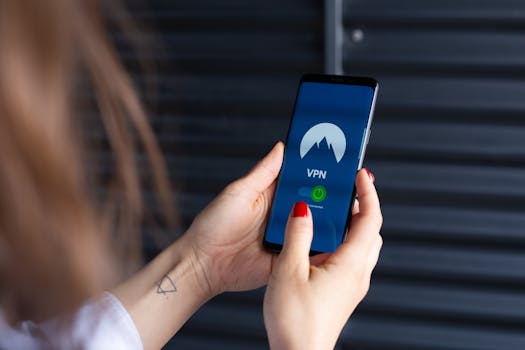
Staying Safe on the Go: Best Tips for Optimizing Security When Torrenting on Mobile Devices
In 2024, torrenting on mobile devices has become more popular than ever. With the speed and convenience of today’s smartphones and tablets, millions of users now download and share files on the go. However, this convenience comes with new risks. Mobile devices are more vulnerable to privacy leaks, malware, and data theft compared to desktops. Protecting yourself while torrenting on mobile isn’t just a good idea—it’s essential.
This guide offers expert tips tailored for mobile users who want to enjoy torrenting safely, focusing on often-overlooked aspects like network security, device settings, app permissions, and secure file handling. We’ll also compare common mobile security solutions so you can make informed choices.
.png)
The Unique Security Challenges of Mobile Torrenting
Torrenting on mobile differs from desktop torrenting in several critical security aspects. Mobile devices are inherently more exposed, often connected to public Wi-Fi, and rely heavily on apps that request broad permissions. Here are some key challenges:
- $1 According to a 2023 Cisco report, 60% of mobile users regularly connect to public Wi-Fi hotspots, which are prime targets for cybercriminals seeking to intercept downloads or steal data. - $1 Mobile torrent apps can request access to contacts, storage, even microphone or location data. A 2022 study by Avast found that 35% of popular torrent apps asked for at least one unnecessary, privacy-invading permission. - $1 Mobile operating systems, especially Android, are frequent targets for malware and exploits. In 2023, Kaspersky reported a 25% year-over-year increase in mobile malware attacks.Given these risks, optimizing security while torrenting on mobile requires more than just installing an antivirus app.
Securing Your Network: Beyond the Basic VPN
The first line of defense while torrenting is your network connection. While many users know about VPNs, not all VPNs are created equal—and there are additional steps you can take.
- $1 Some VPNs throttle torrent traffic or even block P2P connections. Look for VPNs that explicitly support torrenting and provide a kill switch feature, which stops internet traffic if the VPN drops. - $1 Even with a VPN, your DNS requests can leak information about your activity. Use a VPN with built-in DNS leak protection or set up encrypted DNS manually (like Cloudflare’s 1.1.1.1 app). - $1 If you must use public Wi-Fi, always combine a VPN with a personal hotspot for sensitive transfers. In 2022, Norton found that 48% of data theft incidents on mobile devices occurred over public Wi-Fi.Comparison of Common Mobile VPN Features:
| VPN Feature | Basic VPN | Optimized for Torrenting |
|---|---|---|
| Torrent Support | Often Limited/Blocked | Full P2P Access |
| Kill Switch | Rare | Standard |
| DNS Leak Protection | Not Guaranteed | Included |
| No Logs Policy | Unclear | Strict |
| Speed Optimization | Variable | Optimized for High Speeds |
App Permissions and Safe App Choices
One of the easiest ways hackers can gain access to your information is through overly permissive apps. It’s not uncommon for torrent apps to ask for access to your camera, microphone, or text messages—none of which are necessary for downloading files.
- $1 Go to your device’s settings and review the permissions granted to your torrent app. Remove any that aren’t directly related to file downloads or storage. - $1 Stick to well-reviewed apps from trusted developers, ideally open-source. For example, LibreTorrent and Flud are known for minimal permissions and transparent privacy policies. - $1 Prevent apps from consuming data or accessing the internet when not in use—this reduces the risk of background tracking or unwanted uploads.As an example, in 2023, researchers at ESET found that several unofficial torrent clients on Google Play were actually data-harvesting malware posing as legitimate apps.
Device Security Settings: Locking Down Your Mobile
Optimizing your device’s overall security posture can make a significant difference. Mobile operating systems now offer powerful built-in tools for privacy and protection.
- $1 Use fingerprint or facial recognition to secure your device. According to Statista, 85% of smartphones shipped in 2024 include biometric authentication. - $1 Both Android and iOS release frequent security updates. Delaying these updates leaves your device exposed—Google’s 2024 security bulletin noted that 90% of mobile exploits target outdated software. - $1 Both major mobile OSes offer built-in malware scanning. On Android, enable Google Play Protect. On iOS, keep app installs limited to the App Store. - $1 Some devices allow you to encrypt the entire storage drive. This ensures that if your device is lost or stolen, your torrent downloads stay private.Handling and Sharing Downloaded Files Securely
Downloading files is only half the equation—what you do with those files matters just as much for your privacy and security.
- $1 Even if a file comes from a trusted tracker, always scan it with a reputable mobile antivirus app. In 2023, AV-Comparatives found that 29% of malware on Android was spread via sideloaded files, including through torrents. - $1 Never share personal documents or photos via P2P networks. Torrenting is inherently public, and files can be distributed far beyond your intended audience. - $1 Keep torrent downloads in encrypted folders or use an app with built-in file vaults. Some file manager apps offer password-protected folders for extra security. - $1 The longer files remain on your device, the greater the risk. Delete old or unneeded torrents and downloaded content to minimize your exposure.Advanced Tips: Multi-Layered Privacy and Anonymity
For users who are especially privacy-conscious, consider these advanced strategies:
- $1 Some advanced torrent apps support proxy settings in addition to VPNs. A SOCKS5 proxy can anonymize torrent traffic further, making it even harder to trace. - $1 When registering for torrent trackers or forums, use anonymous email addresses (such as ProtonMail or Tutanota) and never reuse passwords. - $1 Use network monitoring apps to track outgoing and incoming connections. This helps you spot suspicious activity that could indicate malware or data leaks. - $1 Some VPNs offer split tunneling, letting you route only torrent traffic through the VPN while keeping other apps on your regular connection for speed and convenience.Final Thoughts: Staying Vigilant When Torrenting on Mobile
Torrenting on mobile devices can be safe and convenient, but only if you proactively secure your device, network, and data. With mobile threats on the rise, it’s more important than ever to combine secure app choices, robust network protection, strict device settings, and careful handling of downloaded files. By following these tips, you can enjoy the flexibility of mobile torrenting without sacrificing your privacy or security.







